Thursday, June 12, 2014

eLearning Toolbox Throwback #TBT

I started in eLearning in 2001. Although not long ago, it is light years behind us when it comes to development tools. Here are the eLearning tools I was using during my first few years in the industry.


And my LMS...

What is in your Throwback Thursday Toolbox?

Friday, May 30, 2014

Using #Infographics

For a course I am currently completing, I included an infographic. The course is an overview of a new line of business at my org. I knew that for many, especially those not directly involved in the new line, retaining detailed knowledge about it will be a challenge as time passes. So what better way to provide a refresher than an Infographic that highlights and visualizes its important features? I hope to see these printed from the course and pinned on a few office walls and hopefully passed around a bit too. 

I found creating the infographic was not as difficult as expected. I found the content was easily drawn from the course, just needed to trim the wording as to be much more concise and find ways to visualize the content. As far as tools there are quite a few; several are listed below. You can also create one from scratch using tools such as Illustrator, Photoshop or even Word. 

Here are some Infographic tools I have added to the Cloud Apps page. 
You can also find more at www.hongkiat.com/blog/infographic-tools. If you have any Infographic tools you recommend or advice on creating them, please share in the comments section.

Thursday, April 17, 2014

Being Concise - #IMPS

IMPS Logo
I like to think I have a knack at being concise, at least when it comes to creating courses. Being concise, while retaining instructional integrity, is important in keeping your audience, knowledge transfer and retention. With that said, I thought about what I do to make courses concise and came up with the following strategy. 

I call it IMPS. Notes are added, but of course I'm keeping it short.

Identify appropriate learning objectives and exclude the extraneous objectives trying to sneak into the course.
Note: Identify the learners' needs through a solid needs analysis  - do not rely on what the stakeholders "think" they need. Remember, ask the tough questions and observe the audience. This stage usually overlaps with the next and provides a focus throughout all the stages.  

Manage stakeholder, subject matter expert and design team’s expectations - get them “on-board” with designing concise, but effective courses.
Note: They not only need to know the advantages, but need to be vested in the approach. Be prepared to explain and sell the benefits of a concise course (e.g., reducing cognitive overload, increase retention, time efficiency among staff, etc.).

Prioritize content into levels of “must know,” “good to know” and “nice to know.”
Note:  These will be crucial in the following stage when you determine what to include, how to include it or perhaps if it will be delegated to additional resources. 

Streamline the content, language and course interface.
Note: Use the prioritized levels to trim your content, present it logically and to efficiently utilize learning assets (e.g., interactions, games, visuals, analogies, infographics, etc.). Also, edit the language for succinctness and design the interface for quick and easy navigation. 

I will be writing more on this subject in future posts. Please feel free to add your thoughts in the comments section - Thank you. 

Friday, April 4, 2014

Serious eLearning Manifesto


Serious eLearning Manifesto Logo
I have got on-board and signed the Serious eLearning Manifesto. I believe it is a good blueprint for ensuring quality eLearning. For successful implementation, I believe it not only requires the commitment of eLearning designers, but also the support of course stakeholders and learning & development management. I am continually negotiating with the aforementioned for the time and resources needed to develop effective learning programs. So, I think it is very important to note that we must also get them on board so we can deliver eLearning that meets the manifesto's standards. Without their support it is easy to fall into the trap of cutting corners and not meeting the level of quality our learners deserve. 

Thank you Manifesto Instigators for putting it all together - you did a good job.

I encourage everyone involved in eLearning to read and consider endorsing the Serious eLearning Manifesto.

Saturday, March 8, 2014

Here's a Recent Course I Made

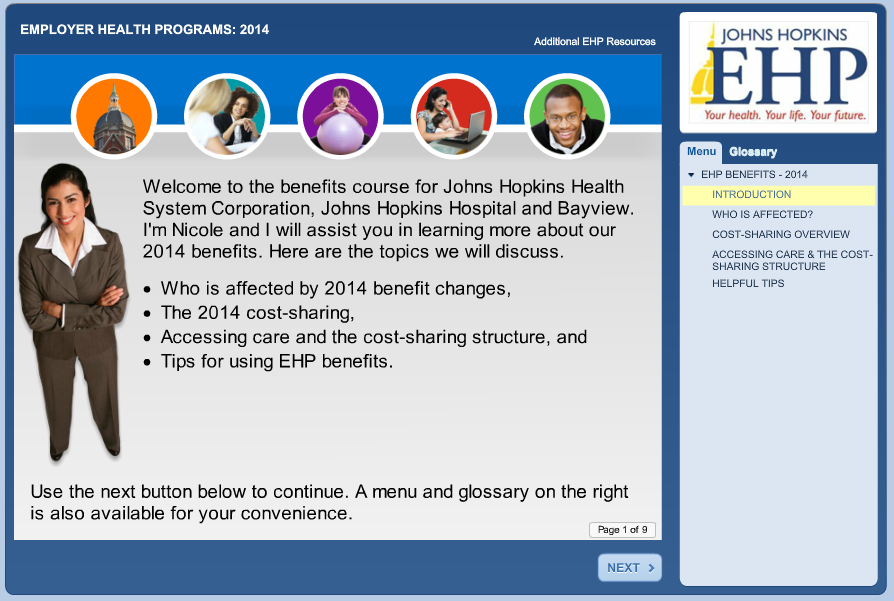
It is a rare exception when I can publicly share one of my online courses. That is because most are on a corporate learning management system (LMS) which is only accessible to my fellow employees or they are on our Intranet, which is also inaccessible to non-staff. This course is one I created for our public site and is accessible to the world. It is a pretty straightforward course that includes scenario based learning. So far, the design appears to be working well in assisting our health care members to learn more about using their benefits, especially important due to recent benefit changes. Please use the link below to take a look at the course. 


Feel free to also visit my eLearning Screenshots Pinterest page to see some screenshots of a few other courses I've made. And of course there is the Free eLearning page which chock full of examples from others.

Tuesday, March 4, 2014

There is No "PowerPoint"

So often I get a call from subject matter experts (SME) and other stakeholders regarding elearning courses asking, "Can't you just send me the PowerPoint?" My answer of "There is no PowerPoint" is usually not received well and followed by a tone of disbelief. I don't deny them a PowerPoint because they will probably compromise the instructional integrity of the courses, which is possible, or because I am selfish. It is usually because the course simply wasn't made in PowerPoint or only portions of the development process was made using PowerPoint and what they would get would be fragments of a course at best. However, when people outside of eLearning see the final product they associate it with the closest thing they are familar with in their world, which is PowerPoint. 

So, here is the deal:

Most courses are developed with tools that are not PowerPoint. For example, Captivate, Flash, ToolBook, Storyline, etc. All of which I have used and been asked to "send the PowerPoint."

Some development tools use PowerPoint as an initial interface, but it is in combination with eLearning development applications. An example I have is Articulate Studio. This can be difficulty to explain to the SME that is eager to get hold of your elusive "slides." This is especially true when they have seen you working in PowerPoint when story boarding or other early stages of development. 

So, the moral of the story is let your SMEs know up front about the development tools you will use and what deliverables can and will be provided. 

Feel free to add your comments and opinions. I'd love to hear if you have had similar experiences and how you've addressed it. Thanks. 

Thursday, February 20, 2014

Giving Pinterest Another Try

I started a Pinterest account quite a while ago, but my interest in it waned quickly. It really did not fill any need for me. In the last few weeks I decided to give in another try. 

So what have I been pinning? Here are the categories I have so far:
  • eLearning - I pin interesting eLearning infographics, pages, resources, etc. 
  • eLearning Screenshots - Various screens from courses I have made. Since most of what I have developed sits within a learning management system (LMS), inaccessible to non-coworkers, I thought it nice to share at some screens from a few of my favorite courses. Only a couple of courses are represented now, but more to come. 
  • Maryland History - I love local history and especially historical pics. 
  • Rhode Island - That's where I'm originally from and it's always nice to pin some pics that remind me of home. 
As you can see, I have been getting some use out of it and starting to appreciate its value. 

Happy pinning!