- Adobe Flash - An essential tool for creating highly interactive elements, including animation, games, immersive learning simulations, and almost anything else you want if you can manage writing or finding the actionscript.
- Adobe Fireworks - It is my choice for editing graphics because it is user-friendly to non-graphic artists like me. And it worked very well with my Macromedia Flash when I was getting started in e-learning... old habits are hard to break.
- Adobe Captivate - Fantastic for creating simulations (software sims and branching sims), plus it does a good job recording audio for your sims. Being able to add quizzes and publish SCORM/AICC compliant courses is a big plus too.
- DHTML authoring tool - My preference is OutStart Trainer (TrainerSoft). Being able to create SCORM/AICC compliant courses that imports Flash SWF files and plays well with the LMS makes my ability to implement e-learning much easier.
- WordPress - I am using it right now to get my blog posts out. Writing my blog is a great way share, learn, and connect with others in the e-learning field. It gets me out of my e-learning vacuum.
- Adobe Dreamweaver - Still the best tool for creating web pages (I occasionally have to do that) and jerry-rigging the HTML in courses.
- Windows MovieMaker - Editing videos prior to using them in courses.
- Twitter - Another way for me to share, learn, and connect with others in the e-learning field. I expect either it or Yammer to play a larger role for informal learning at my company.
- Notepad - Editing XML, which is extremely useful in working with DHTML courses and sometimes Flash courses.
- SnagIt - Extremely helpful when making software sims or getting screenshots for courses.
Sunday, October 11, 2009
My Top 10 e-Learning Tools
Jane Hart is gathering top ten lists for e-learning tools. Thus far, 203 people in the e-learning field have submitted their list. I have posted my e-learning toolkit in the past, but not what I necessarily consider my "top e-learning tools." So, here are my top 10 e-learning tools. They are not stand alone e-learning tools, but together allow me the ability to create effective e-learning courses. I have included how and why I use these tools.

Thursday, October 8, 2009
Learn About Tomorrow's Lunar Impact
 Tomorrow NASA has a planned impact with the Moon. Here are a few resources to learn more about the Lunar CRater Observation and Sensing Satellite (LCROSS) mission, which if successful will identify water on the Moon.
And here are some LCROSS resources directly from NASA:
NASA's LCROSS mission website
LCROSS Flight Director's blog
Good luck NASA, if there's H2O up there, you'll find it!
Monday, October 5, 2009
Flash is Coming to Blackberry - Announced at Adobe Max

Today Adobe announced they will be releasing Flash Player 10.1, which will extend the use of Flash on mobile devices. And RIM has added its Blackberry to the list of devices that will run this newest version of Flash Player. Read more about it. No exact date has been set for when it will appear on the Blackberry just yet.
And with Flash 10.1, we probably won't need, or hear about, Flash Lite any longer.
As stated in earlier posts, I believe that Flash's availability on Blackberries will be a boon to m-learning. Sad to say, Flash on the iPhone is still not on the horizon.
Friday, October 2, 2009
Quick Explanation of Google Wave - Video
Here is a video from Epipheo that sums up Google Wave in just 2 minutes.
If you want to learn more, go to http://wave.google.com/help/wave/about.html.
If you want to learn more, go to http://wave.google.com/help/wave/about.html.
Thursday, October 1, 2009
Adobe Flash in Your Car
Adobe Flash has continually been showing up in more and more places. Phones, TVs, Billboards (really just big monitors in airports and mega stores), now in your car. QNX has created the Connected Automotive Reference (CAR) platform, which provides interactive interfaces for dashboard displays and car entertainment consoles. And games, widgets and videos can be integrated into these systems. WARNING: e-Learning while driving may be dangerous, leave it to the passengers.
FYI: This is not a thing of the future. Cars are offered now with QNX based systems, including BMW, Ford, General Motors, Honda, Jaguar, Mercedes, Porsche and Toyota.
FYI: This is not a thing of the future. Cars are offered now with QNX based systems, including BMW, Ford, General Motors, Honda, Jaguar, Mercedes, Porsche and Toyota.
Monday, September 28, 2009
Adobe Cookbooks
Adobe's Developer Connection has added Adobe Cookbooks, http://cookbooks.adobe.com/home.
Members can post Adobe code for Flash, Flex, Air, ColdFusion, Dreamweaver, and other Adobe products. At this point the majority of the code shared is ActionScript and Flex code. Anyone interested can browse the cookbooks and no registration required. If you are interested in contributing code and interacting with other members, then registration is required or log-in with your Adobe account if you already have one. The site has community moderators, who monitor and facilitate discussions and also have the ability to improve the content.
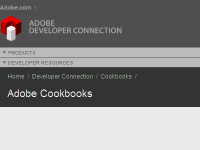
Members can post Adobe code for Flash, Flex, Air, ColdFusion, Dreamweaver, and other Adobe products. At this point the majority of the code shared is ActionScript and Flex code. Anyone interested can browse the cookbooks and no registration required. If you are interested in contributing code and interacting with other members, then registration is required or log-in with your Adobe account if you already have one. The site has community moderators, who monitor and facilitate discussions and also have the ability to improve the content.
Friday, September 25, 2009
Video - A Vision of K-12 Students Today
Here is a video created to inspire teachers to use technology to engage our "digital natives."
Created by B. Nesbitt
Created by B. Nesbitt
Subscribe to:
Posts (Atom)